
Live betting, slots, casino, payments — all in one app. The 24viptaka app is fast, lightweight, and runs smoothly on Bangladesh's networks. Once you download it, there's no need to open a browser again.
The 24viptaka app is available on both Android and iOS
Download the APK file directly and install it. No Google Play Store needed — setup is complete in just 2 minutes.
IPhone and iPad users can easily add the web app to their home screen — or install directly via the TestFlight link.
Get the 24viptaka App on Your Phone in Just a Few Steps
Go to your phone's Settings → Security → Unknown Sources (or "Install Unknown Apps") and enable it. This is required to install APK files and only needs to be done once.
Click the "Download APK" button on this page. The file will be saved to your downloads folder — the download typically completes within 30 seconds.
Open your phone's file manager or notification bar and locate the downloaded "24viptaka.apk" file.
Tap the APK file and hit the "Install" button. Installation takes about 15–30 seconds to complete.
The 24viptaka icon will appear on your home screen. Log in or create a new account — and you're ready to go.
Two ways to use it on iPhone or iPad
Open 24viptaka.best in Safari on your iPhone. The option to add to your home screen is not available in Chrome or Firefox — you must use Safari.
Tap the Share icon at the bottom of Safari (the square with an arrow pointing up). A menu will appear.
Select "Add to Home Screen" from the menu and name it "24viptaka".
Tap the "Add" button in the top right. The 24viptaka shortcut will be added to your home screen instantly.
Opening the app from your home screen icon gives you a true full-screen experience — no browser bar in the way.
If your Android phone shows a "Blocked by Play Protect" message during APK installation, simply choose "Install Anyway" — the 24viptaka APK is completely safe. Once installation is done, you can turn Unknown Sources back off for added security.
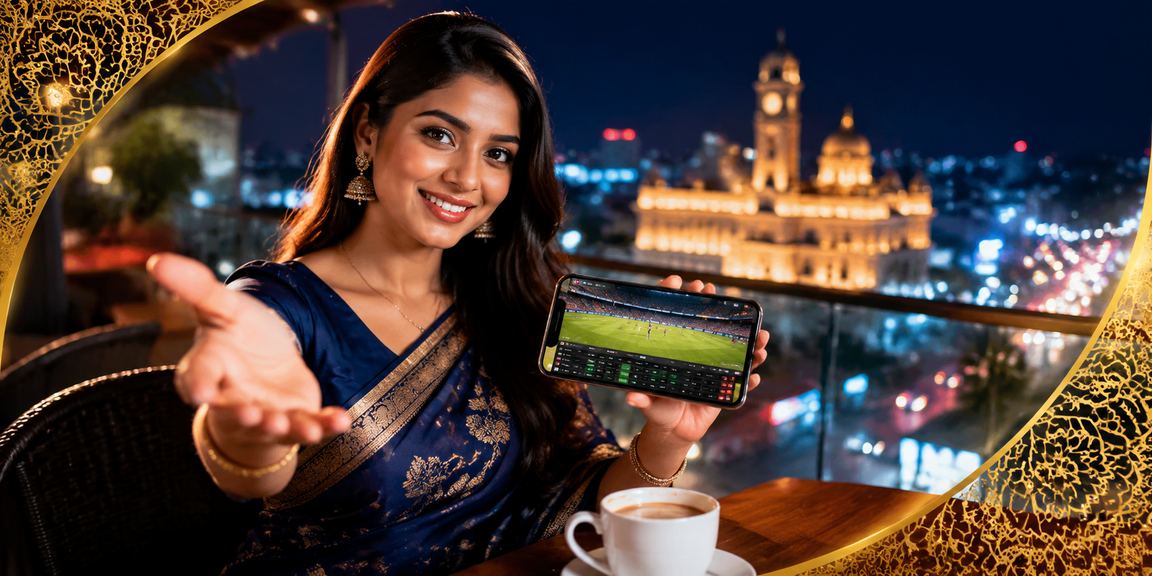
The 24viptaka app isn't just a scaled-down browser — it's built from the ground up as a standalone experience
Get automatic notifications before big matches kick off, when a goal is scored, or when odds shift significantly. You won't miss an opportunity even when your phone isn't in your hand.
The app loads three times faster than the browser. Live Casino HD video streams are smoother with far less buffering. It even performs well on 3G.
Log in with your fingerprint or Face ID — no password to remember. Secure and instant access to your account in one second.
The dark theme on the 24viptaka app is easy on the eyes at night, uses less battery, and makes long sessions more comfortable.
Open bikash or Nagad directly from within the app. Deposits are much faster — what takes 5 steps in a browser takes just 2 in the app.
Live match scores are always visible at the top of the screen. You can follow the game even while playing — both at the same time.

Both have the full feature set — but the app delivers a whole different level of experience
| Feature | 24viptaka App | Mobile Browser |
|---|---|---|
| Load Speed | Much faster (~3 seconds) | 5–8 seconds |
| Push Notifications | Yes | None |
| Biometric Login | Fingerprint / Face ID | None |
| Live Casino video | HD, minimal buffering | Occasional buffering |
| Deposit process | Quick, 2 Steps | 4–5 Steps |
| Offline access | Account details visible | None |
| Battery Usage | Low | More |
| Update | Automatic | Automatic |
| Installation | One-time download | Nothing Required |
In Bangladesh, smartphones are no longer just for communication — they're the hub for entertainment, payments, and shopping. 24viptaka was built with that reality in mind. The app is designed around Bangladesh's network conditions, popular device models, and the habits of local users.
You might wonder why you'd need a separate app when the browser can do it all. But the difference becomes clear from day one with 24viptaka. Live match odds updating in real time without the screen freezing, placing bets without any lag, and jumping straight into bikash from the payment screen — these small things add up to an experience that's genuinely in a class of its own.
The biggest edge in live betting is placing the right bet at the right moment — but you can't have your phone in your hand all the time. That's where the 24viptaka app's push notification feature comes in. Set alerts for your favorite teams or tournaments and get notified 30 minutes before kickoff, at half-time, or after a major goal.
You can control which notifications you receive from the app's settings — if you don't want alerts for every event, keep them enabled only for specific leagues or teams. The app also respects your "Do Not Disturb" settings when you activate them at night.
When you open the 24viptaka app, everything you need is right on the first screen. Live match scores at the top, featured events in the middle, and quick-access buttons at the bottom. Sports, Casino, Live Casino, Voucher — every section is reachable with a single tap from the bottom navigation bar.
Account management is straightforward in the app too. Check your balance, make a deposit, request a withdrawal, and view your bet history — all from a single screen. With biometric login enabled, you won't need to enter your password every time.
Network issues in Bangladesh are a real challenge — and 24viptaka is built with that in mind. When your connection is weak, the app automatically switches to a low-bandwidth mode. Video quality may drop slightly, but your game or bet won't be interrupted. If your connection drops during live betting, your placed bet is saved — once you reconnect, you can check whether it was confirmed.
24viptaka runs reasonably well on 3G. Slots and card games have no issues on 3G at all. For Live Casino HD streaming, 4G or Wi-Fi is recommended. For the best overall experience, playing on a Wi-Fi connection is advised.
The 24viptaka app is updated regularly with new features, security improvements, and performance enhancements. On Android, the app will notify you when an update is available — just tap to update when you see the notification. The iOS web app always loads the latest version automatically since it runs directly from the web server. Some features may not work correctly on older versions, so it's best to update as soon as you get a notification.
Only download the official 24viptaka APK from this page. APK files from third-party sites may not be safe. The official APK is digitally signed and undergoes regular security audits.
A few tips to get the best experience on the 24viptaka app. First, keep your battery above 30% when playing Live Casino or live betting — your phone may shut off unexpectedly if it drops too low. Second, closing background apps will help 24viptaka run faster. Third, turn off Data Saver mode during live streaming, or the video quality will drop.
In the app's "Settings", configure your language, notification preferences, and default payment method in advance. This saves you from adjusting them each time and makes betting much faster.
If you run into any issues installing the APK or setting up iOS, reach out via live chat — our support team is available 24/7 and ready to help.
Help Center
New users often have a few common questions when getting started with the 24viptaka app. Here are straightforward answers to the most frequently asked ones.
The most common issue during installation is a "Parse Error" or "App Not Installed" message. This usually comes down to one of two things — either the download didn't complete fully, or Unknown Sources isn't enabled. Check Unknown Sources first, then delete the APK and download it fresh. As long as your connection stays stable throughout the download, this issue shouldn't occur.
Another common question is about storage. The 24viptaka app is only 24 MB, but cached data can build up to 50–80 MB over time. Clearing it occasionally via Settings → Apps → 24viptaka → Clear Cache will keep the app running smoothly.
A common question is whether you need a VPN to use 24viptaka. Under normal circumstances, the 24viptaka site and app are fully accessible from Bangladesh without one. That said, if you ever have trouble connecting, a VPN can help. If you do need to use one, selecting a Singapore or Hong Kong server will give you the fastest connection.
Keep in mind that having a VPN active can sometimes cause issues with bKash or Nagad payments — mobile banking apps may block transactions if they don't detect a Bangladesh IP. It's best to turn off your VPN before making any payments.
Your 24viptaka account works across multiple devices. Whether you're on a phone, tablet, or computer, your balance and bet history stay in sync. If you're logged in on two devices at the same time, one may be signed out automatically as a security measure. For best security, log out after each session.
The 24viptaka app has a "Remember Me" option — enabling it means you won't have to enter your password every time. However, it's best to leave it off on shared devices. For your personal phone, turning on biometric login is the safest and most convenient option.
Installation is done in just 2 minutes. No complicated setup — download, install, and log in.
The official 24viptaka APK is digitally signed and undergoes regular security audits.
New features and security updates are delivered automatically — no need to check manually.
Answers to the Most Frequently Asked Questions
Download the 24viptaka app and enjoy the best betting experience on mobile. Available on both Android and iOS.